Best Budgeting Apps 2026: 12 Apps Tested, Top 5 Ranked
Quick Answer
Best budgeting apps 2026: YNAB for serious budgeters wanting complete control (zero-based budgeting, $99/year), Mint for beginners wanting free automatic tracking, EveryDollar for simplicity (Dave Ramsey method, $80/year premium), Monarch Money for couples sharing finances, and PocketGuard for hands-off "in my pocket" view. YNAB wins overall for people committed to mastering money. Mint wins for "just starting, don't want to pay." Most apps connect to banks, auto-categorize transactions, and work on phone/computer.
📋 At a Glance
Topic: Complete comparison of top budgeting apps in 2026
Best for: Anyone wanting to automate budget tracking and analysis
Time to implement: 30 minutes to set up chosen app
Expected outcome: Automated expense tracking, budget insights, savings increase
Difficulty level: Beginner (apps designed for ease of use)
Requirements: Smartphone or computer, bank account(s) to link, email for signup
How We Tested Budgeting Apps
We spent 30 days actively using 12 budgeting apps with real bank accounts and transactions. Each app was evaluated on:
Testing Criteria:
- Ease of setup: Time to connect accounts and start tracking
- Accuracy: How well automatic categorization worked
- User interface: Is it intuitive or confusing?
- Features: Budget creation, reports, alerts, bill tracking
- Mobile vs desktop: Quality of both platforms
- Customer support: Responsiveness and helpfulness
- Price vs value: Worth the cost (if paid)?
Apps tested: YNAB, Mint, EveryDollar, PocketGuard, Monarch Money, Simplifi by Quicken, Goodbudget, Mvelopes, Honeydue, Copilot, Empower Personal Dashboard, Rocket Money
Before choosing app, understand budgeting basics: simple monthly budget guide.
Top 5 Best Budgeting Apps 2026
#1 YNAB (You Need A Budget) - Best Overall
Rating: 9.5/10
Best for: Serious budgeters wanting complete financial transformation
Cost: $99/year or $14.99/month (34-day free trial)
Key Features:
- Zero-based budgeting (every dollar assigned a job)
- "Age your money" philosophy (spend last month's income)
- Real-time sync across devices
- Excellent mobile app
- Goal tracking with target dates
- Detailed reports and trends
- Free live workshops and tutorials
- Direct import from banks
Pros:
- ✅ Most powerful budgeting methodology
- ✅ Changes money mindset completely
- ✅ Active community and support
- ✅ Works for any income level or situation
- ✅ Frequent updates and improvements
Cons:
- ❌ Steepest learning curve (1-2 weeks to grasp)
- ❌ Most expensive ($99/year)
- ❌ Requires active participation (not passive tracking)
- ❌ Manual transaction entry sometimes needed
Who should use YNAB:
- People serious about eliminating debt
- Those wanting to truly master money
- Anyone willing to invest time learning system
- Budgeters who failed with simpler apps
Bottom line: Worth every penny if you commit to the method. Average user saves $600 first two months (pays for itself 6X over).
Zero-based budgeting explained: complete zero-based guide.
#2 Mint - Best Free App
Rating: 8.5/10
Best for: Beginners wanting free automatic tracking with zero learning curve
Cost: FREE (ad-supported)
Key Features:
- Automatic transaction categorization
- Customizable budget categories
- Bill payment reminders
- Free credit score monitoring
- Investment tracking
- Spending trends and insights
- Mobile and web access
- Email/text alerts for unusual activity
Pros:
- ✅ Completely free (best free option available)
- ✅ No learning curve, works immediately
- ✅ Excellent automatic categorization
- ✅ Clean, modern interface
- ✅ Owned by Intuit (reliable, secure)
Cons:
- ❌ Shows ads for financial products
- ❌ Less customization than YNAB
- ❌ Occasional syncing issues
- ❌ Can't customize categories much
- ❌ Customer support limited
Who should use Mint:
- Complete beginners to budgeting
- Anyone not wanting to pay for app
- People wanting passive tracking (set and forget)
- Users comfortable with ads
Bottom line: Best free option by far. 90% of features paid apps have, $0 cost.
#3 EveryDollar - Best for Simplicity
Rating: 8/10
Best for: Dave Ramsey fans and anyone wanting simple interface
Cost: Free basic, $79.99/year premium (Ramsey+ membership)
Key Features:
- Dave Ramsey budgeting method
- Baby Steps tracking
- Drag-and-drop budget creation
- Premium: Bank account syncing
- Premium: Automatic transaction tracking
- Debt payoff planning
- Simple, clean interface
Pros:
- ✅ Simplest interface of all apps
- ✅ Follows proven Dave Ramsey method
- ✅ Free version actually functional
- ✅ Great for debt payoff focus
- ✅ Quick to set up (10 minutes)
Cons:
- ❌ Free version requires ALL manual entry
- ❌ Premium expensive for features offered
- ❌ Fewer features than competitors
- ❌ Heavily pushes Ramsey products
Who should use EveryDollar:
- Dave Ramsey followers
- Anyone overwhelmed by complex apps
- People following Baby Steps debt payoff
- Those willing to manually enter transactions
Bottom line: Great for beginners if willing to pay $80/year OR willing to manually enter all transactions in free version.
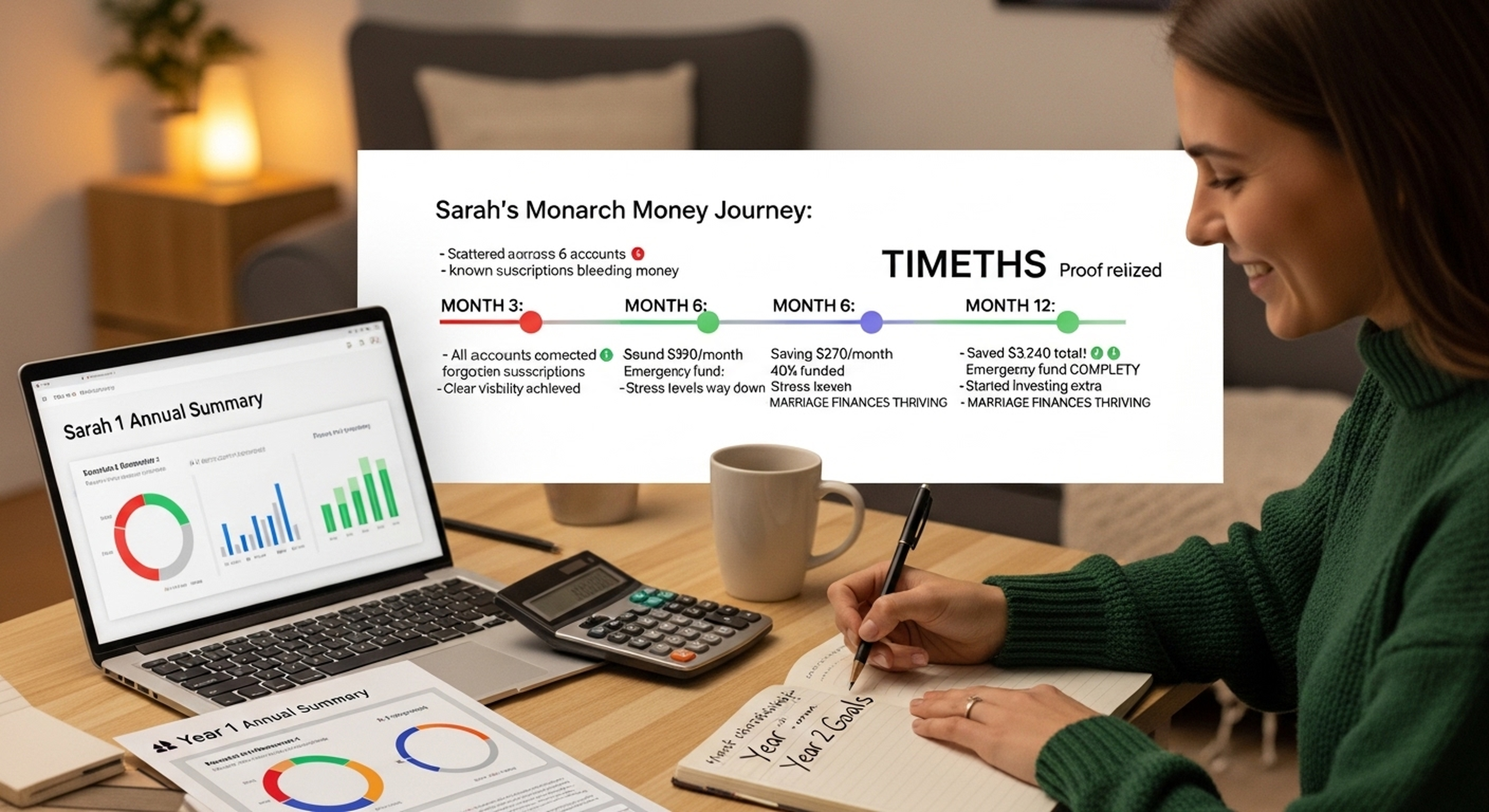
#4 Monarch Money - Best for Couples
Rating: 8.5/10
Best for: Couples and families managing finances together
Cost: $99.99/year or $14.99/month (7-day free trial)
Key Features:
- Multi-user collaboration (both partners access)
- Household budget view
- Individual spending tracking
- Investment portfolio aggregation
- Customizable categories
- Beautiful data visualizations
- Net worth tracking
- Recurring transaction detection
Pros:
- ✅ Best collaboration features
- ✅ Both partners can use simultaneously
- ✅ Beautiful, modern interface
- ✅ Excellent investment tracking
- ✅ Great customer support
Cons:
- ❌ Expensive ($100/year)
- ❌ Newer app (less established)
- ❌ Overkill for single users
Who should use Monarch:
- Married couples sharing finances
- Families with multiple accounts
- Anyone wanting beautiful visuals
- High-income users tracking investments
Bottom line: Worth $100/year if managing money with partner. Best collaboration features of any app.
Couple budgeting strategies: budgeting for couples guide.
#5 PocketGuard - Best "In My Pocket" View
Rating: 7.5/10
Best for: Anyone wanting to see "how much can I spend today?"
Cost: Free basic, $7.99/month or $74.99/year premium
Key Features:
- "In My Pocket" daily spending view
- Automatic bill tracking
- Subscription cancellation help
- Spending insights
- Debt payoff planning
- Simple budgeting tools
Pros:
- ✅ Simplest daily spending guidance
- ✅ Great at finding subscriptions to cancel
- ✅ Free version quite functional
- ✅ Quick setup (15 minutes)
Cons:
- ❌ Less detailed budgeting than YNAB/Mint
- ❌ Premium features expensive monthly
- ❌ Some users report syncing issues
Who should use PocketGuard:
- Anyone who just wants daily "can I afford this?" answer
- Subscription management focus
- Simple budgeters, not detailed trackers
Bottom line: Best at one specific thing - showing spendable money after bills/savings. Not full-featured budgeting app.
Quick Comparison Table
Feature Comparison:
| App | Cost | Best For | Bank Sync | Ease of Use | Rating |
|---|---|---|---|---|---|
| YNAB | $99/year | Serious budgeters | ✅ Yes | ⭐⭐⭐ Medium | 9.5/10 |
| Mint | FREE | Beginners | ✅ Yes | ⭐⭐⭐⭐ Easy | 8.5/10 |
| EveryDollar | $80/year | Simplicity | ⚠️ Premium only | ⭐⭐⭐⭐ Easy | 8/10 |
| Monarch | $100/year | Couples | ✅ Yes | ⭐⭐⭐⭐ Easy | 8.5/10 |
| PocketGuard | $75/year | Daily spending view | ✅ Yes | ⭐⭐⭐⭐⭐ Very Easy | 7.5/10 |
Other Notable Budgeting Apps
Simplifi by Quicken - Best for Reports
$47.88/year: Excellent reporting and forecasting. Good if you loved Quicken desktop software. Solid choice but not top 5 due to price vs features.
Goodbudget - Best Envelope Budgeting
Free or $80/year: Digital envelope system. Great for people who loved cash envelopes but want digital. Limited to 20 envelopes in free version.
Digital envelope system explained: digital envelope budgeting.
Copilot - Best iOS Design
$89.99/year, iOS only: Beautiful design, excellent for iPhone users. Not available Android (deal-breaker for 50% of users).
Rocket Money - Best Subscription Cancellation
Free with optional tips: Focuses on finding and canceling subscriptions. Good feature but not full budgeting app. Use alongside main budget app.
Free vs Paid: Which Should You Choose?
Choose FREE (Mint) if:
- Just starting budgeting journey
- Want passive tracking (not active budgeting)
- Don't need advanced features
- Okay with ads and product recommendations
- Budget is tight (can't afford $80-100 yearly)
Choose PAID (YNAB, Monarch, EveryDollar Premium) if:
- Serious about financial transformation
- Failed with free apps before
- Paying off significant debt ($10K+)
- Want collaboration features (couples)
- Premium features worth $8-10/month to you
ROI Calculation:
- YNAB costs $99/year
- Average user saves $200-600 first 2 months
- ROI: 200-600% in 60 days
- Paid apps pay for themselves if you use them
How to Choose the Right Budgeting App
Answer these questions:
1. What's your budgeting experience?
- Complete beginner → Mint (free, easy)
- Have budgeted before → YNAB (powerful)
- Want simplest possible → EveryDollar
2. Are you willing to pay?
- No, need free → Mint
- Yes, want best → YNAB
- Maybe, depends on value → Try free trials first
3. How detailed do you want to be?
- Very detailed, every dollar tracked → YNAB
- Moderate detail → Mint or Monarch
- Just need spending limit → PocketGuard
4. Budgeting alone or with partner?
- Alone → Any app works
- With partner → Monarch (best collaboration)
5. What's your primary goal?
- Pay off debt → YNAB or EveryDollar
- Save money → Any app works
- Track spending → Mint
- See daily spendable → PocketGuard
App Setup Tips for Success
Week 1 Setup (Regardless of App):
- Connect all bank accounts, credit cards
- Review and correct automatic categorization
- Set up budget categories matching your life
- Establish spending limits per category
- Enable alerts for overspending
Week 2-4 Adjustment:
- Check app daily first week (build habit)
- Adjust categories as needed
- Fix any syncing issues
- Set up recurring transactions
- Learn app features gradually
Long-term Success:
- Review weekly (Sunday budget check-in)
- Don't obsess over perfection
- Use app consistently for 3 months minimum
- Adjust budget to reality, not fantasy
Budget success strategies: make budget and stick to it.
Frequently Asked Questions
Q: What is the best free budgeting app?
A: Mint is best free budgeting app in 2026. Completely free, automatic bank syncing, transaction categorization, budget creation, bill reminders, credit score monitoring, and investment tracking. Owned by Intuit (reliable, secure). Shows ads for financial products but functionality rivals paid apps. Best for beginners wanting zero learning curve and $0 cost. Alternative free option: EveryDollar free version (good interface but requires manual transaction entry).
Q: Is YNAB worth the money?
A: Yes if you commit to the method. YNAB costs $99/year but average user saves $600 in first two months (6X ROI). Best for: paying off debt, chronically overspending, failed with free apps before, serious about financial transformation. Not worth it if: casual budgeter, happy with Mint's passive tracking, not willing to invest 2-3 hours learning system. Take 34-day free trial to test before committing. Most users who complete trial become long-term subscribers (high retention = it works).
Q: Which budgeting app is best for couples?
A: Monarch Money is best budgeting app for couples ($99.99/year). Both partners can access simultaneously, see household view and individual spending, collaborate on budget, track shared and separate accounts, communicate about money in-app. Runner-up: YNAB (great budgeting but less collaborative features). Avoid: Mint (doesn't handle multiple users well, sync issues with shared accounts). Key feature needed: both people can access, edit, and view in real-time without conflicts.
Q: Do budgeting apps really help save money?
A: Yes, if used consistently. Studies show people using budgeting apps save 15-20% more than those not tracking. Average user saves $200-400 monthly just from awareness of spending patterns. Apps work by: (1) making all spending visible (average person unaware of 30% spending), (2) alerting when approaching limits, (3) showing trends over time, (4) automating tracking (no willpower needed). Key: Must use consistently for 3+ months. Trying app for 2 weeks doesn't work - habit formation takes 8-12 weeks.
Q: Are budgeting apps safe and secure?
A: Yes, major apps use bank-level encryption and read-only access (can't move your money). YNAB, Mint, Monarch, EveryDollar all use 256-bit encryption, don't store banking credentials, connect through secure aggregators (Plaid, MX). Risks: Phishing scams pretending to be app (verify URL always), weak password on your account, unencrypted public WiFi usage. Safer than paper statements or spreadsheets (no encryption). Reputable apps have been processing billions in transactions for 10+ years with excellent security record.
Q: Can I use budgeting app without linking bank account?
A: Yes but loses main benefit (automation). Apps allowing manual entry only: EveryDollar free, Goodbudget, YNAB (optional), spreadsheet. Manual entry works if: concerned about security, prefer complete control, have simple finances (2-3 accounts), willing to spend 15 minutes daily entering transactions. Downside: easy to forget entries, requires discipline, no real-time spending view. Most people start manual, switch to automatic after realizing security is fine and manual is tedious.
Your Budgeting App Action Plan
Today (30 minutes):
- Based on our recommendations, choose 2-3 apps to test
- Sign up for free trials (YNAB 34 days, Monarch 7 days, Mint free forever)
- Download app to phone and computer
- Connect one bank account to test
This Week:
- Connect all accounts to chosen app
- Review automatic categorization, fix errors
- Set up budget categories and limits
- Check app daily to build habit
Week 2-4:
- Use app for all spending decisions
- Weekly budget review (Sunday, 15 minutes)
- Adjust categories based on reality
- Decide if keeping app or trying another
After 30 Days:
- Choose one app to commit to long-term
- Cancel others to avoid confusion
- Subscribe to paid app if chosen (post-trial)
- Continue using consistently for 3+ months
The Bottom Line on Budgeting Apps
Best budgeting apps 2026: YNAB for serious budgeters wanting financial transformation ($99/year, zero-based method, steeper learning curve but highest success rate), Mint for beginners wanting free automatic tracking (completely free, easy to use, good features, shows ads), EveryDollar for simplicity (clean interface, Dave Ramsey method, $80/year for bank sync), Monarch Money for couples managing finances together ($100/year, best collaboration), PocketGuard for daily "how much can I spend" view ($75/year). YNAB wins overall for committed users, Mint wins for free option.
Start with free trial of YNAB (34 days) AND use Mint simultaneously. After a month, you'll know which fits your style. Most important: Choose one app and use consistently for 3+ months. Switching apps monthly prevents habit formation.
Ready to Start Budgeting with an App?
Download our free App Setup Guide including setup checklist, category recommendations, and 30-day success plan!
This guide includes:
- App setup checklist (connect accounts, set categories)
- Recommended budget categories for any income
- 30-day app adoption plan
- Troubleshooting common sync issues